How to Get Your Staff to Actually Use New Business Software
New software only helps if people use it. Many Tricity businesses pay for a CRM, billing or stock system, and staff still go back to registers, Excel and WhatsApp. This guide shows how to get staff to use new software, step by step, in simple words.
How do I get my staff to use new software?
To get staff to use new software, involve them early, keep the first version simple, train each role on only the screens they need, and stop old methods like registers after a short overlap. Name one in-house champion, check usage every week, and fix complaints fast. Staff adopt software when it makes their own day easier.
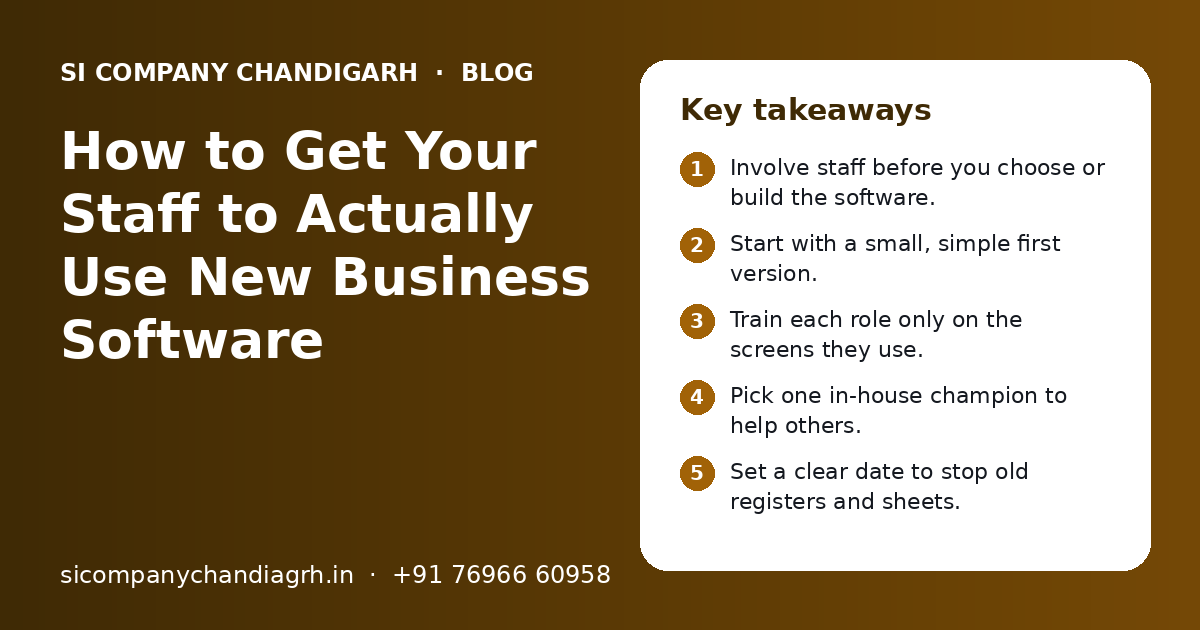
Key takeaways
- Involve staff before you choose or build the software.
- Start with a small, simple first version.
- Train each role only on the screens they use.
- Pick one in-house champion to help others.
- Set a clear date to stop old registers and sheets.
- Check usage weekly and fix problems fast.
Why do staff not use new software?
Staff avoid new software when it feels slower than the old way, when nobody showed them how to use it, or when they fear it is a tool to watch them. Most resistance is about habit and fear, not about the software itself.
Think about a sales person who has kept leads in a diary for years. The diary is fast and familiar. The new CRM asks for many fields on a small phone screen. Unless someone shows why the CRM helps them, the diary wins.
Common reasons we hear
- "It takes longer than my register."
- "Nobody trained me properly."
- "The screens are in English and I am more at ease in Hindi or Punjabi."
- "I do not know what will happen if I make a mistake."
- "The boss will use it to track every minute of my day."
- "We still have to fill the old sheet too, so why do double work?"
Each of these can be fixed. The steps below show how.
How do you get staff to use new software, step by step?
Plan the rollout like a small project: involve people, start small, train by role, set a switch date and follow up every week. Here is a simple plan that works for small and mid-sized offices.
- 1
Explain the why
Tell the team what problem the software solves. For example, "no more lost leads" or "no more evening stock counts". Keep it about their work, not about control.
- 2
Involve key staff early
Ask two or three daily users to share how they work now. Show them early screens and take their feedback.
- 3
Keep the first version small
Launch only the features people need every day. Add the rest after the team is comfortable.
- 4
Pick a champion
Choose one person who likes technology and is respected by the team. They become the first point of help.
- 5
Train by role
Show each role only the screens they use. A store keeper does not need the sales reports.
- 6
Run old and new together for a short time
Allow a short overlap so people feel safe. Then stop the old method on a fixed date.
- 7
Check usage every week
Look at who is logging in and entering data. Talk to those who are not, and find out why.
- 8
Fix complaints fast
If a screen is slow or confusing, fix it quickly. Quick fixes build trust.
When we build custom software in Chandigarh and the Tricity, we plan these steps together with the client from the start.
How should you train staff on new software?
Train in short, hands-on sessions using real work, not long lectures. Give each role a simple guide they can keep on their phone.
| Training method | Works well for | Tips |
|---|---|---|
| Short live sessions | First introduction for a team | Keep to under an hour; use real orders or leads |
| Short screen videos | Repeat learning and new joiners | One task per video; share on the team WhatsApp group |
| One-page guides | Quick reference at the desk | Use screenshots and numbered steps |
| Side-by-side help | Staff who are less comfortable with phones or computers | The champion sits with them for the first few days |
| Practice account | Teams worried about making mistakes | A test copy where nothing affects real data |
Use the language your team is comfortable with
In many Chandigarh, Mohali and Panchkula offices, staff speak Hindi or Punjabi at work. Training in a mixed language, or giving short notes in Hindi, can make a big difference. Some screens and messages can also be set up in Hindi if the team needs it.
Training does not end on launch day. Plan a short refresher a few weeks later, when people have real questions.
How do you make the software easy enough to use?
Make the software match how your staff already work, with fewer clicks, fewer fields and screens that work well on a phone. If the software is hard, no training will save it.
- Only ask for fields that someone really uses later.
- Put the most used action, like "New order", on the first screen.
- Make sure it works on the phones your staff actually carry.
- Use dropdowns instead of typing where possible.
- Send WhatsApp or SMS reminders instead of making people check the app.
- Connect it with tools you already use, like Tally, so nobody enters data twice.
Double entry is one of the biggest reasons staff give up. If billing staff must enter a sale in the new system and again in another tool, they will soon skip one. Business automation can move data between tools so it is entered only once.
For sales teams, a well-designed CRM shows each person their own follow-ups for the day. That makes the software feel helpful, not like extra work.
What mistakes should you avoid when rolling out new software?
The biggest mistakes are choosing software without asking staff, launching everything at once, and letting the old method continue forever. Avoid these and most of the battle is won.
| Mistake | What happens | Better way |
|---|---|---|
| Owner picks software alone | It does not fit daily work | Ask daily users what they need first |
| Launching all features at once | Staff feel lost and give up | Start with core features, add more later |
| No training plan | People guess and make errors | Short role-based sessions and guides |
| Old registers never stopped | Data is split and nobody trusts reports | Set a firm date to stop old methods |
| Using it only to monitor staff | Staff feel watched and resist | Show how it helps them first |
| Ignoring complaints | Small issues grow into refusal | Collect feedback weekly and fix fast |
| No support after launch | Problems stay unsolved | Agree a support plan before going live |
One more mistake is blaming staff. If many people avoid the same screen, the screen is usually the problem.
How do you handle staff who resist the change?
Talk to them one to one, find the real reason, and solve that reason. Most resistance fades when people feel heard and see the software helps them.
Simple ways to reduce resistance
- Ask, "What is hard for you in this?" and listen.
- Pair them with the champion for a few days.
- Show a small win, like a report that saves them an hour.
- Be clear that the goal is less paperwork, not more checking.
- Praise people who use it well in team meetings.
Older staff are sometimes the most worried. Patient, side-by-side help usually works better than pushing. Once they learn, they often become strong users because they know the business so well.
How do you know staff are really using the software?
Check simple signs every week: who logs in, how much data is entered on time, and whether reports match reality. Use this to help people, not to punish them.
| What to check | Good sign | Warning sign |
|---|---|---|
| Logins | Every user logs in on working days | Some users never log in |
| Data entry | Orders and leads entered the same day | Entries added in bulk at month end |
| Old methods | Registers and sheets no longer used | Staff still keep parallel Excel files |
| Reports | Owner trusts the daily report | Numbers do not match the cash or stock |
| Questions | Fewer basic questions over time | Same questions every week |
Most good software has an activity log or a usage report. Ask your vendor to show you where it is. Our IT support team can also help you read these reports and fix issues users face.
How long does it take for staff to get used to new software?
It depends on team size, the type of software and how well the rollout is planned. A small team with a simple tool can settle in quickly, while a multi-branch rollout takes longer.
We do not promise fixed timelines, because every team is different. These points speed things up or slow them down:
Speeds up adoption
- Staff involved from the start
- Simple first version
- A helpful in-house champion
- A firm date to stop old methods
- Quick fixes after launch
Slows down adoption
- Many features launched together
- No training for new joiners
- Old and new systems running for too long
- Slow or confusing screens
- No support after launch
Software adoption is part of a bigger shift in how a business works. Our digital transformation page explains how to plan this shift in stages.
How can SI Company Chandigarh help your team adopt new software?
We plan training, rollout and support along with the software itself, so your team actually uses what you pay for. We serve Chandigarh, Panchkula and the Tricity from our nearby Mohali office.
SI Company Chandigarh is powered by Shivah Web Tech, with 11+ years of experience, a 25+ person in-house team and 500+ projects delivered. We build custom software, CRM, ERP and automation, and we help with role-based training and support after launch.
Our team works Monday to Friday, 9:30 to 6:30 IST, with 24x7 emergency support for urgent issues. For an example of software planned around one type of office, read our guide on CA firm software in Chandigarh.
If you are planning new software, or your current software is not being used, contact us for a free call. You get a clear quote after we understand your needs.
Related Pages
Frequently Asked Questions
Why do my employees keep going back to Excel after we bought new software?
Usually the new software feels slower, training was too short, or the old Excel sheet is still allowed. Staff choose what is easiest for them. Ask them what is hard, simplify the screens, give short role-based training and set a firm date after which Excel is no longer used for that work. Then check usage every week.
How do I train staff who are not comfortable with computers?
Use side-by-side help instead of group lectures. Let a patient colleague sit with them for a few days. Start with one or two tasks only. Share short screen videos and one-page guides with pictures. Training in Hindi or Punjabi can help. A practice account, where mistakes do not affect real data, also builds confidence.
Should I let staff use the old system and the new software together?
Yes, but only for a short, fixed period. A short overlap helps people feel safe and lets you check that the new software gives correct results. After the set date, stop the old method fully. If both run for too long, data gets split, nobody trusts reports and staff do double work.
What is a software champion, and do I need one?
A software champion is a staff member who learns the new system first and helps others. They answer basic questions, share tips and pass problems to the vendor. Even a small office benefits from one. Choose someone who is patient, respected by the team and comfortable with technology, and give them time for this role.
Can new software be set up in Hindi or Punjabi?
Custom software can often show key screens, labels or messages in Hindi or Punjabi, depending on how it is built. Many teams keep the main system in English and send WhatsApp or SMS messages in Hindi. Discuss language needs at the start, because adding them later can take more work.
How can I check if staff are using the software properly?
Look at login activity, whether entries are made on the same day, and whether reports match cash and stock. Most business software has an activity log. Review it weekly and talk to people who are not using the system. Use these checks to find and fix problems, not to blame staff.
Do you provide training when you build software for a business in Chandigarh?
Yes. We plan role-based training as part of the project and share simple guides for each role. We also help after launch, when real questions come up. We serve Chandigarh, Panchkula and the Tricity from our nearby Mohali office, and we can run training sessions online.
What if staff still refuse to use the software after training?
First, find out why. Talk one to one and listen. If many people avoid the same screen, the software may need changes. If it is one person, pair them with the champion. Be clear that after the switch date the software is the official record. Most resistance fades once people see the software helps them.
Talk to our team today
Call or WhatsApp +91 76966 60958. We reply fast, Monday to Friday.